Areas
-
Mail
An index of several mailboxes (Microsoft 365 and IMAP), sorting into categories, a “Wants: … by when” line on every email, new senders decided once, ads and junk out of the way, threads in brief.
Never: Doesn’t send, move or mark as read. Email bodies are not stored.
-
Drafts
A reply in your style, learned from your sent mail, with company facts and free slots from your calendar. Reminders for people who haven’t replied. The draft lands in Outlook or in your IMAP Drafts.
Never: Doesn’t send. You do.
-
Payments
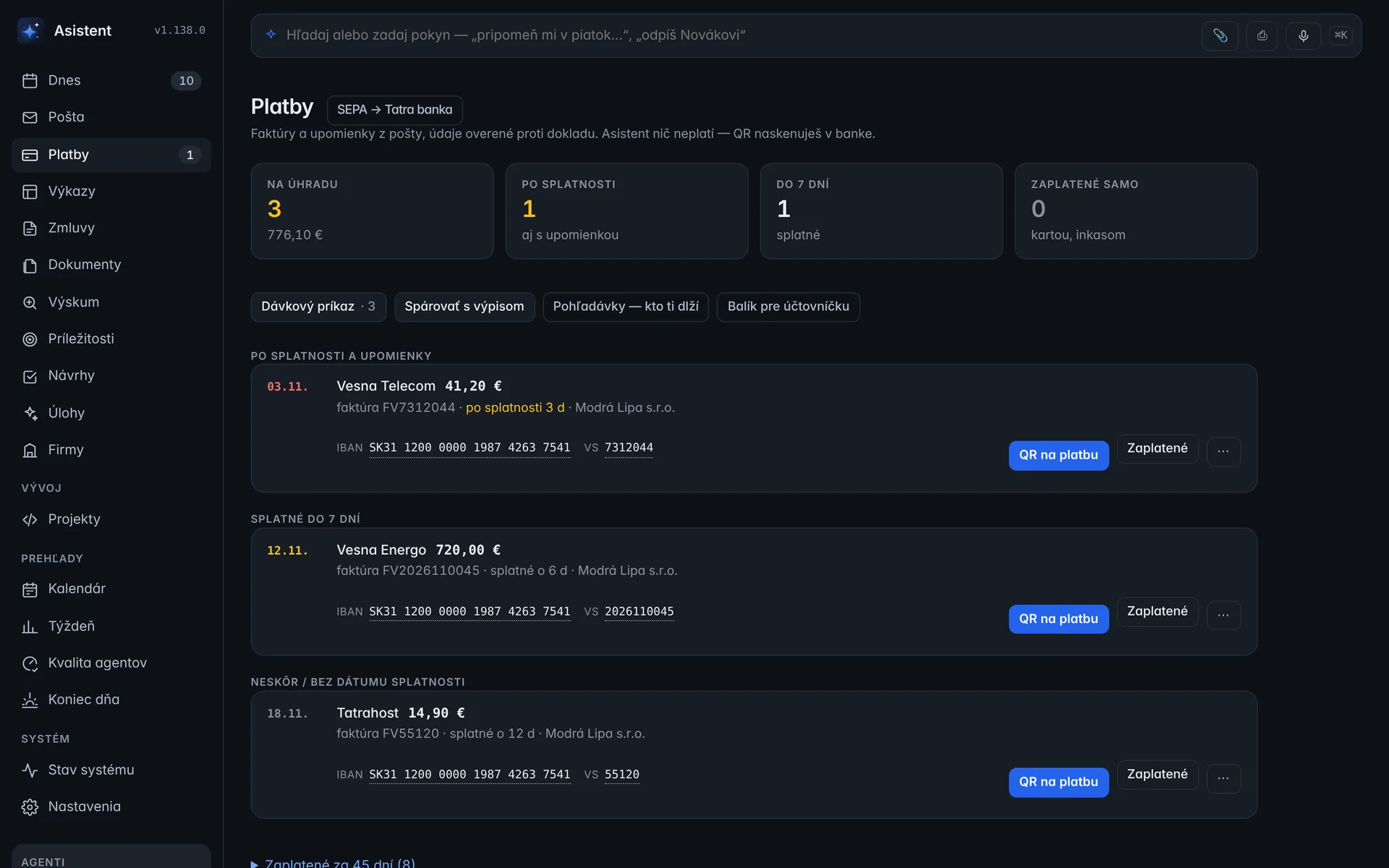
Invoice data (PDF, QR) verified by code (IBAN mod 97, amount in the text), a PAY by square QR, a SEPA batch for the bank, matching against statements, reminders, who owes you.
Never: Doesn’t pay. You scan the QR and sign the batch in your bank.
-
Calendar and deadlines
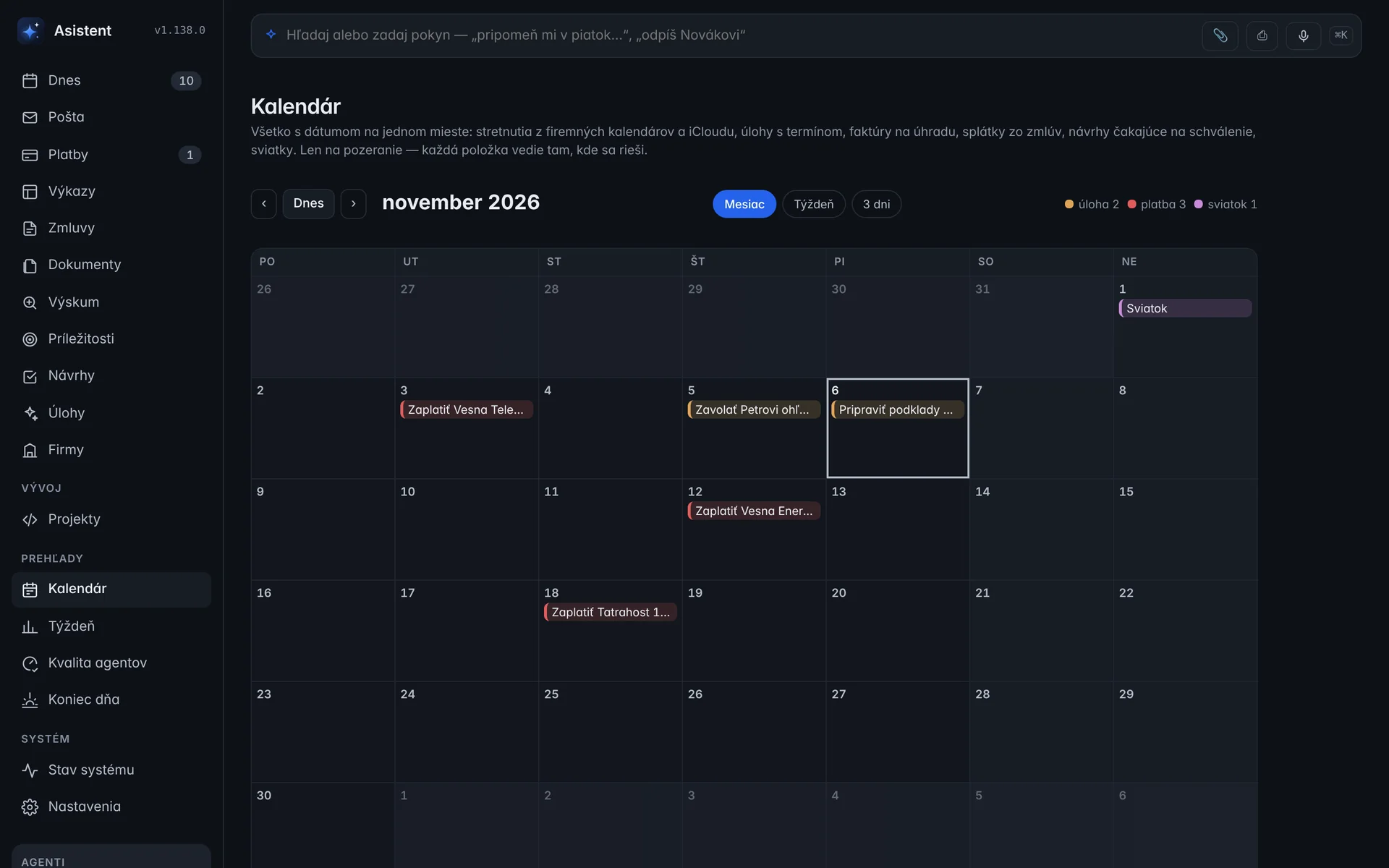
Everything with a date in one place (O365, iCloud, tasks, due dates, holidays), time blocks for tasks, meeting prep 20 minutes ahead with the other party already filled into the “Before a meeting” playbook, a push when something changes.
Never: Writes only a proposal you approved.
-
Meeting notes
A recording or a Teams transcript, local transcription (whisper.cpp), decisions, tasks and promises with verbatim quotes, notes in your vault and proposed tasks.
Never: Doesn’t keep the recording. It is deleted after transcription.
-
Timesheets and invoicing
Timesheets from a single sentence, a monthly check of timesheets against the invoice, a year-to-date balance, a package for your accountant, receipts turned into expenses.
Never: Doesn’t overwrite your Excel. It always makes a copy.
-
Opportunities
Public tenders from UVO, TED, Josephine and EKS by your keywords and CPV codes. A “Do we go for it?” brief from the tender documents.
-
Projects and tasks
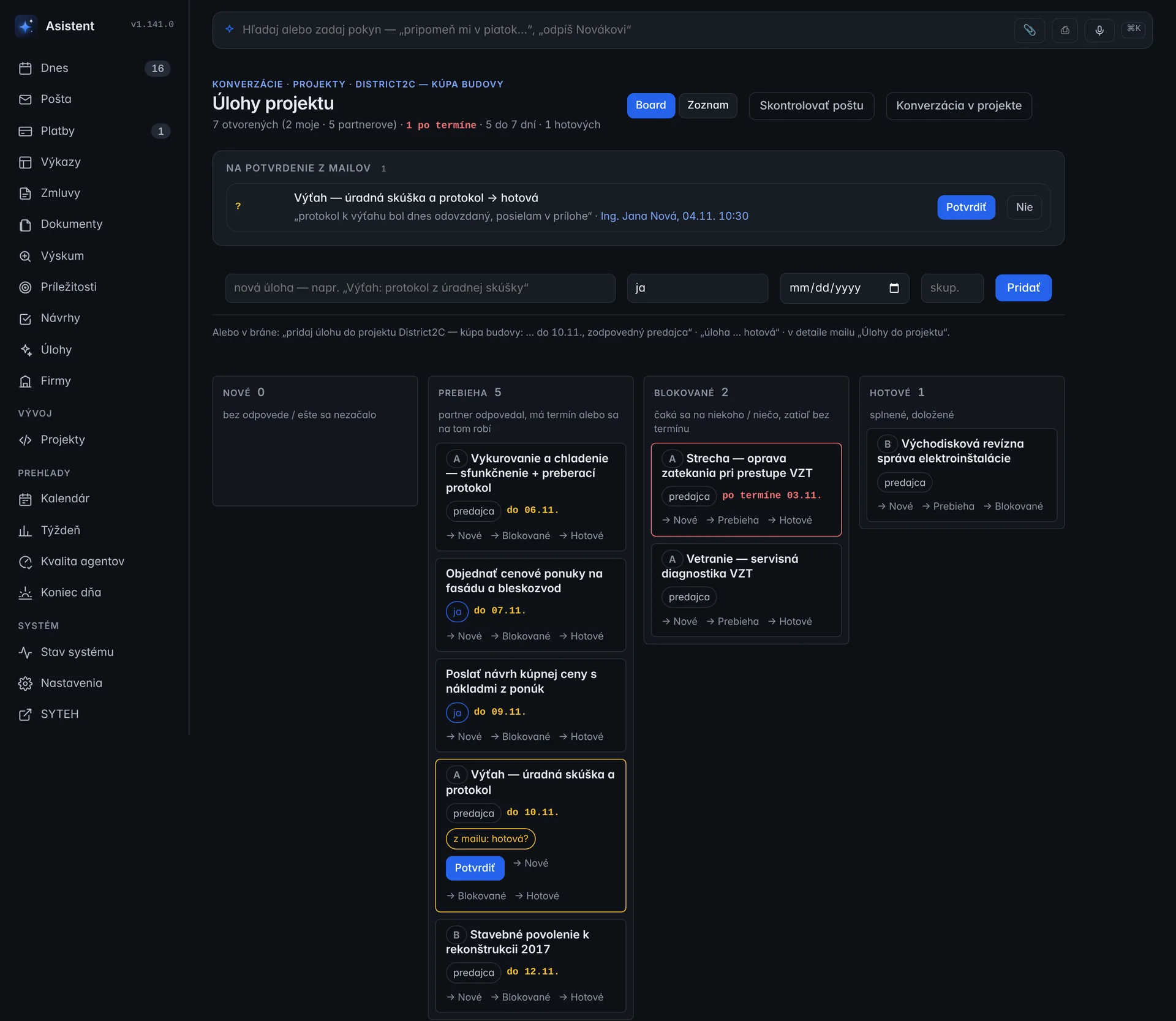
A task board per project (New, In progress, Blocked, Done). It pulls tasks out of emails with a quote, fills in notes, deadlines and the phase from partners’ replies, and reminds you through the Scribe after a deadline. “Tasks of the project” can also be asked for in the Gate.
Never: It never marks anything done without your confirmation.
-
Documents
Excel from PDF, contract version comparison, a summary from your side of the table, translation with number checks, contracts from templates.
-
Briefings
Morning briefing at 6:30, End of day at 17:30, a weekly summary with charts from your own numbers. Also as audio for the car.
Never: Uses no model for these. Facts only.
Every line on the screen has a source: the email, invoice, event or note it came from. Company records stay in the invoicing system. The assistant asks for them fresh each time and doesn’t store them.
What it looks like
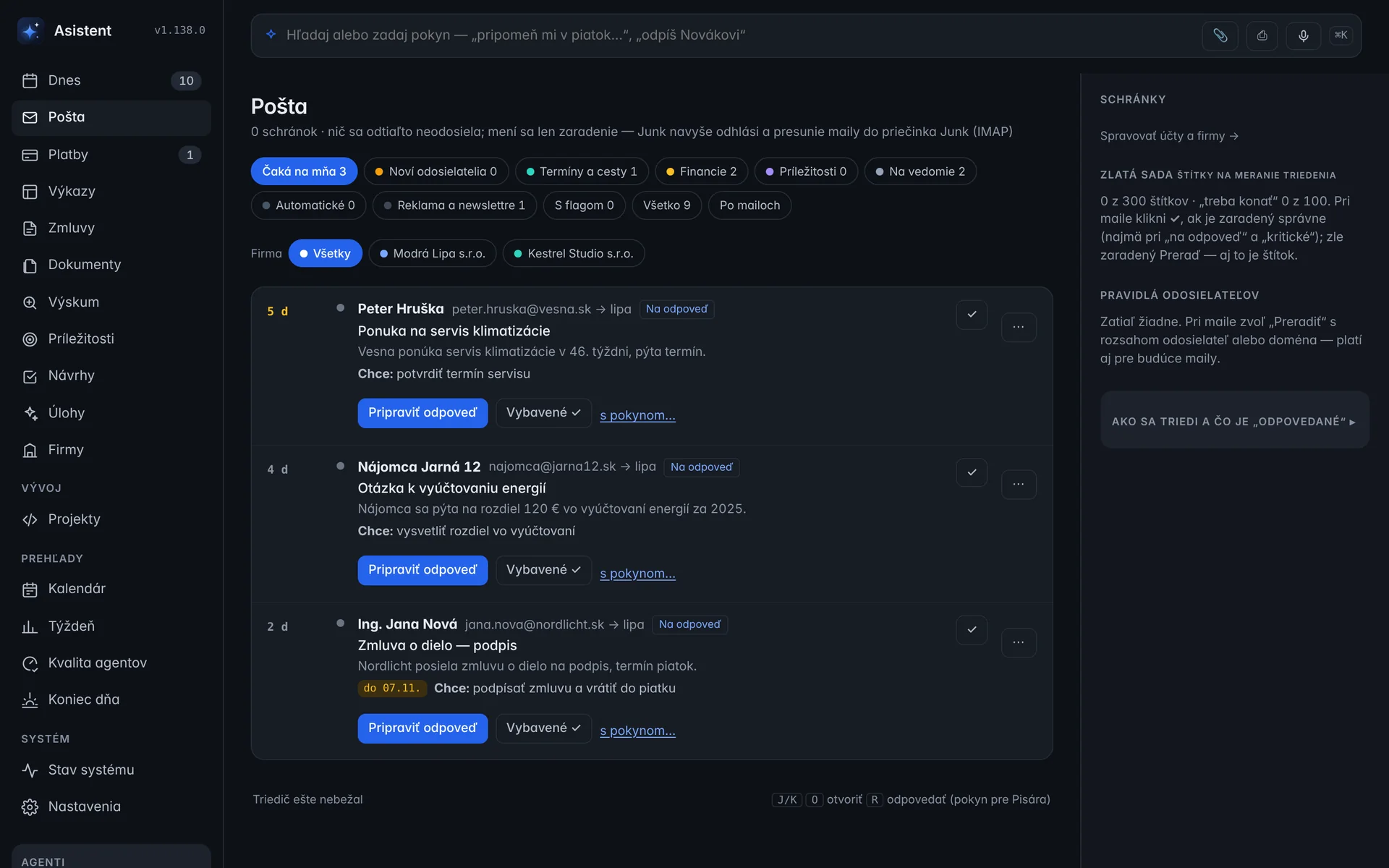
Every email gets a “Wants:” line and a deadline. One click prepares a reply; sending stays with you.

Proposals
A draft reply together with what it is based on. Once approved, it opens in your mail client. Nothing is sent.
Payments
Invoices from your mail, with details checked against the document. You scan the QR in your bank; the assistant doesn’t pay.
Calendar
Meetings, tasks with deadlines, invoices to pay and holidays in one place.
Project tasks
Tasks from emails, each with a quote. When a partner writes that something is done, the board waits for your confirmation.

End of day
What is left from Today, what you got done and what comes first tomorrow. At 17:30 it also arrives as a push.
Real screens with sample data. The interface is in Slovak.
Why it exists
When you run several companies, the day starts in eight mailboxes, three calendars and a pile of invoices. Cloud assistants can help, but only if you send them your contracts, invoices and clients’ emails.
The model comes to the data, not the data to the model.
-
One Today screen
Emails waiting for a reply, invoices to pay, deadlines and what you’re waiting on from others. Ordered by code, not by chance.
-
A proposal, not an action
Anything that would change the world (a draft reply, a calendar event, a payment) is a proposal you approve with one click. The assistant has no SMTP and no access to your bank, and never will.
-
It learns from your corrections
Every re-filed email, edited draft and rejected proposal is a lesson. Overnight it is checked against your history and switched on only once it helps.
-
Nothing leaves
No API keys for cloud models, no telemetry. The only connection out is your own private network (Tailscale) between your Mac and your phone.